How to Scale Content Marketing with Topic Clusters: A Step-by-Step Guide
 Thu Nghiem
Struggling to grow organic traffic despite publishing more content? Learn how to scale content marketing efficiently using topic clusters—a hub-and-spoke model that improves SEO, workflows, and user experience. Includes real-world examples and actionable steps.
You’ve published dozens—maybe hundreds—of blog posts. Yet organic traffic isn’t growing, and your team is stretched thin producing more content that doesn’t move the needle. The problem isn’t volume; it’s structure.
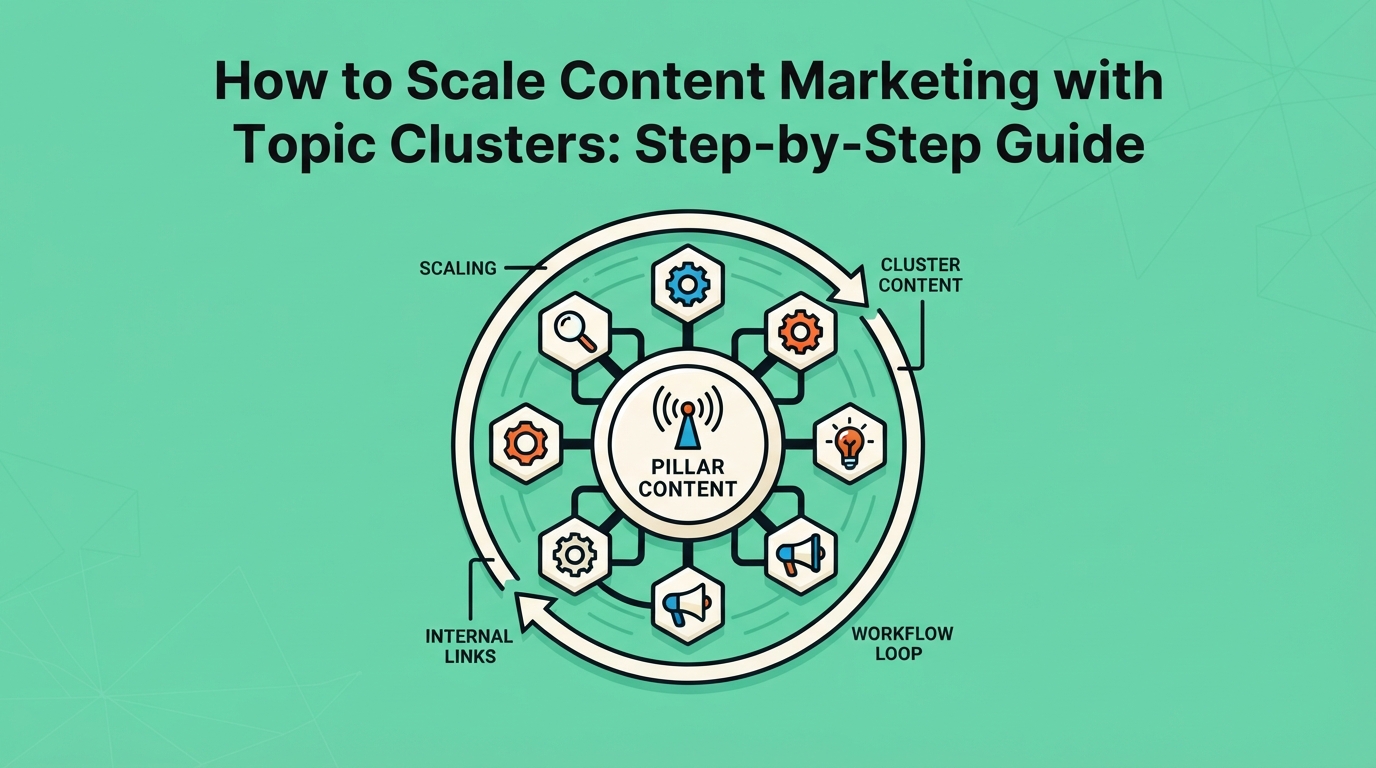
Scaling content marketing isn’t about writing faster or publishing more. It’s about organizing smarter. Topic clusters—a hub-and-spoke model where a central "pillar" page connects to related "cluster" content—let you grow output efficiently while improving SEO, user experience, and editorial workflows.
This guide walks through how to implement topic clusters to scale your content marketing without sacrificing quality or focus. You’ll learn how to choose pillar topics, map clusters, optimize internal linking, and measure success—with real-world examples and tools to speed up the process.
Why Scaling Content Marketing Requires a New Approach
Most content teams hit a ceiling. They publish more posts, but traffic plateaus. Rankings don’t improve. And the effort to maintain a sprawling blog becomes unsustainable.
The issue? More content doesn’t equal better results. Without a deliberate structure, posts compete against each other, dilute authority, and create a fragmented user experience. Search engines struggle to understand your expertise, and readers bounce between disconnected articles.
Topic clusters solve this by shifting the focus from individual posts to interconnected systems. Instead of treating each blog as a standalone piece, you organize content around core topics, creating a network of pages that reinforce each other.
The SEO Benefits of Topic Clusters
- Authority: A well-linked cluster signals expertise to search engines, boosting rankings for the entire topic.
- Crawlability: Internal links help search bots discover and index content faster.
- User Experience: Readers find comprehensive answers without jumping between unrelated posts.
- Efficiency: Reuse research, templates, and assets across clusters, reducing redundant work.
For teams looking to scale, topic clusters aren’t just an SEO tactic—they’re a content operating system.
What Are Topic Clusters? (Core Concept)
A topic cluster is a group of interlinked pages centered around a broad topic. It consists of two key components:
- Pillar Page: A comprehensive, high-level guide covering the core topic (e.g., "Digital Marketing Strategies").
- Cluster Content: Shorter, focused posts diving into subtopics (e.g., "SEO for Beginners," "Social Media Advertising Tips").
The pillar page acts as the "hub," while cluster content serves as "spokes," linking back to the pillar and to each other where relevant.
Topic Cluster Example
Pillar PageCluster Content"Content Marketing Guide""How to Write a Blog Post""SEO Best Practices for Content Marketers""Content Repurposing Strategies"
Old Model vs. Topic Clusters
Traditional ApproachTopic Cluster ApproachStandalone blog postsInterconnected content networkCompeting for similar keywordsTargeting a topic comprehensivelyManual internal linkingStrategic, automated linking structureOne-off productionScalable, repeatable workflow
This structure mirrors how people search. Instead of typing isolated keywords, users ask broad questions ("How do I start a podcast?") and refine their queries ("Podcast equipment for beginners"). Topic clusters align with this behavior, capturing traffic at every stage of the journey.
How Topic Clusters Enable Scalable Content Marketing
Topic clusters don’t just improve SEO—they transform how teams plan, produce, and measure content. Here’s how they enable scalable growth:
1. Workflow Efficiency
- Reuse research: A single pillar topic (e.g., "Email Marketing") generates multiple cluster ideas, reducing redundant keyword research.
- Templates: Standardize pillar and cluster formats to speed up production.
- Asset sharing: Repurpose visuals, data, or quotes across related posts.
2. Team Alignment
- Clear roles: Assign pillar pages to senior writers and clusters to junior team members or freelancers.
- Modular production: Break clusters into sprints (e.g., "Week 1: Pillar, Week 2: Clusters 1–3").
- Editorial focus: Prioritize topics based on business goals (e.g., high-intent keywords for lead generation).
3. Content Repurposing
Turn clusters into:
- Social media: Threads or carousels summarizing key points.
- Email campaigns: Drip sequences based on cluster topics.
- Lead magnets: Gated guides or checklists derived from pillar content.
4. Performance Tracking
Measure success at two levels:
- Pillar page: Rankings, traffic, and conversions (e.g., demo requests).
- Cluster content: Engagement metrics (time on page, bounce rate) and keyword rankings.
This data helps refine your strategy. For example, if a cluster post ranks well but has low engagement, you might expand it into a pillar topic.
Step-by-Step: How to Build a Topic Cluster for Scaling
Follow these seven steps to create a topic cluster that scales your content marketing.
Step 1: Choose a Pillar Topic
Criteria for a strong pillar topic:
- Broad but specific: "Digital Marketing" is too vague; "Digital Marketing for SaaS Startups" is better.
- High intent: Aligns with business goals (e.g., lead generation, brand awareness).
- Search volume: Has enough monthly searches to justify investment (use tools like Ahrefs or SEMrush).
- Evergreen: Relevant for at least 12–24 months.
Example pillar topics by industry:
IndustryPillar TopicSaaS"Customer Onboarding Best Practices"E-commerce"Sustainable Fashion Guide"Healthcare"Telemedicine for Patients and Providers"
Pro tip: Audit your existing content. If you have 5–10 posts on a topic, it’s likely a pillar candidate.
Step 2: Audit Existing Content
Before creating new content, assess what you already have:
- Gaps: Missing subtopics in your cluster.
- Overlaps: Duplicate or competing posts.
- Outdated content: Pages needing updates or redirects.
Tools for auditing:
- Google Search Console: Identify low-performing pages.
- Screaming Frog: Crawl your site for internal linking opportunities.
- Content inventory spreadsheet: Track URLs, keywords, and performance metrics.
Action items:
- Redirect or consolidate overlapping posts.
- Update outdated content to align with the pillar.
- Note gaps to inform cluster topics.
Step 3: Map Cluster Topics
Use keyword research and audience insights to identify cluster topics. Focus on:
- Long-tail keywords: Lower competition, higher intent (e.g., "how to write a cold email for sales").
- FAQs: Questions your audience asks (e.g., "What’s the best CRM for small businesses?").
- Competitor analysis: Gaps in their content (use Ahrefs’ "Content Gap" tool).
Example cluster mapping for "Email Marketing":
Cluster TopicTarget KeywordSearch VolumeHow to write subject lines"email subject line best practices"1,200Best email automation tools"best email marketing tools 2024"800A/B testing for emails"how to A/B test email campaigns"500
Pro tip: Group cluster topics by intent (informational, commercial, navigational) to guide content depth.
Step 4: Create or Update the Pillar Page
A pillar page is not a blog post. It’s a comprehensive, evergreen resource designed to:
- Rank for the pillar keyword.
- Convert visitors (e.g., into leads or customers).
- Serve as the hub for cluster content.
Pillar page best practices:
- Length: 2,000–5,000 words (longer for competitive topics).
- Structure: Use clear H2/H3 headings, tables, and bullet points for readability.
- CTAs: Include multiple conversion points (e.g., "Download the Guide," "Book a Demo").
- Visuals: Add infographics, videos, or interactive elements.
Example pillar page outline for "Content Marketing Guide":
- Introduction (what is content marketing?)
- Benefits of content marketing
- Types of content (blog posts, videos, podcasts)
- How to create a content strategy
- Content creation tips
- SEO for content marketing
- Measuring success
- Tools and resources
- FAQs
Pro tip: Link to cluster content within the pillar (e.g., "For a deeper dive on SEO, read our [guide to on-page optimization]").
Step 5: Produce Cluster Content
Cluster content is shorter and more focused than pillar pages. Each post should:
- Target a specific subtopic or keyword.
- Link back to the pillar page (and other clusters where relevant).
- Answer a single question or solve a specific problem.
Cluster content types:
TypeExamplePurposeHow-to guides"How to Set Up a Google Ads Campaign"Step-by-step instructionsListicles"10 Best CRM Software for Startups"Comparison or roundupCase studies"How [Company] Grew Traffic with SEO"Social proofFAQs"What Is Marketing Automation?"Quick answers
Pro tip: Use a consistent template for cluster content to speed up production. For example:
- Introduction (100 words)
- Key takeaways (bullet points)
- Main content (800–1,500 words)
- Conclusion + CTA (link to pillar page)
Step 6: Internal Linking Strategy
Internal links are the glue that holds your cluster together. They:
- Pass authority from cluster content to the pillar page.
- Improve crawlability and indexation.
- Guide users through the topic journey.
Internal linking best practices:
- Anchor text: Use descriptive, keyword-rich phrases (e.g., "learn more about email automation" instead of "click here").
- Hierarchy: Link from cluster posts to the pillar, and from the pillar to high-priority clusters.
- User experience: Place links naturally within the content (avoid over-optimizing).
- Volume: Aim for 3–5 internal links per 1,000 words.
Example linking structure:
Pillar Page: "Content Marketing Guide"
  ├── Cluster: "How to Write a Blog Post" (links back to pillar)
  ├── Cluster: "SEO Best Practices" (links to pillar + "How to Write a Blog Post")
  └── Cluster: "Content Repurposing" (links to pillar + "SEO Best Practices")
Pro tip: Use a tool like LinkWhisper to automate internal linking suggestions.
Step 7: Launch, Promote, and Iterate
Once your cluster is live, focus on:
- Promotion: Share the pillar page and clusters via email, social media, and paid ads.
- Tracking: Monitor rankings, traffic, and conversions in Google Search Console and GA4.
- Iteration: Update content based on performance data (e.g., expand high-traffic clusters into new pillars).
Key metrics to track:
MetricToolGoalRankingsAhrefs, SEMrushTop 10 for pillar and cluster keywordsOrganic trafficGoogle Analytics20%+ MoM growthEngagementGA43+ minutes average time on pageConversionsHubSpot, GA45%+ conversion rate on pillar page
Pro tip: Set up a dashboard in Google Data Studio to track cluster performance over time.
Tools and Templates to Scale Faster
Scaling with topic clusters is easier with the right tools. Here’s a curated list for each stage of the process:
Keyword Research
- Ahrefs: Identify pillar and cluster keywords, analyze competitors.
- SEMrush: Track rankings and discover content gaps.
- AnswerThePublic: Find question-based cluster topics.
Content Planning
- Notion: Create a cluster mapping template (example below).
- Airtable: Track content production and internal links.
- Trello: Manage editorial workflows with Kanban boards.
Downloadable Cluster Template (CTA):
"Want a ready-to-use template for mapping topic clusters? [Download our free Notion template here]."
Writing and Optimization
- Clearscope: Optimize content for target keywords.
- SurferSEO: Compare your content to top-ranking pages.
- Grammarly: Polish writing and improve readability.
Analytics
- Google Search Console: Monitor rankings and crawl errors.
- GA4: Track traffic, engagement, and conversions.
- Hotjar: Analyze user behavior with heatmaps and session recordings.
Common Mistakes to Avoid When Scaling with Clusters
Even well-planned clusters can fail if you overlook these pitfalls:
1. Choosing the Wrong Pillar Topic
- Too broad: "Marketing" is too competitive and unfocused.
- Too narrow: "How to Write a Meta Description" won’t support a cluster.
- Misaligned with goals: A pillar on "Company Culture" won’t drive leads for a SaaS business.
Fix: Pick a topic with commercial intent (e.g., "Best CRM Software") or high search volume (e.g., "How to Start a Podcast").
2. Ignoring Internal Linking
- No links: Cluster posts don’t connect to the pillar.
- Over-optimized anchor text: Using the same keyword-rich anchor repeatedly (e.g., "best CRM software" 20 times).
- Broken links: 404 errors disrupt the cluster’s authority.
Fix: Audit internal links quarterly with Screaming Frog or LinkWhisper.
3. Treating Clusters as One-Off Posts
- Inconsistent updates: Pillar pages go stale while clusters evolve.
- No repurposing: Content isn’t adapted for social, email, or lead magnets.
- No measurement: Failing to track performance at the cluster level.
Fix: Assign ownership (e.g., a content manager) to maintain and update clusters.
4. Neglecting User Experience
- Poor navigation: Readers can’t find related content.
- No CTAs: Missing opportunities to guide users to the next step.
- Slow load times: Heavy visuals or ads hurt engagement.
Fix: Test your cluster’s UX with tools like Hotjar or user feedback sessions.
Real-World Examples of Scaled Content Marketing
Case Study 1: B2B SaaS Company Increases Organic Traffic 3x in 6 Months
Company: A CRM software provider targeting small businesses. Challenge: Stagnant organic traffic despite publishing 20+ blog posts per month. Solution:
- Identified "CRM for Small Businesses" as a pillar topic.
- Created 12 cluster posts (e.g., "How to Choose a CRM," "CRM vs. Spreadsheets").
- Optimized internal linking and updated the pillar page quarterly.
Results:
- Pillar page ranked #1 for "best CRM for small business."
- Organic traffic grew from 10K to 30K monthly visitors.
- Lead conversions increased by 40%.
Key takeaway: A single well-executed cluster can outperform dozens of standalone posts.
Case Study 2: E-Commerce Brand Reduces Content Production Time by 40%
Company: A sustainable fashion retailer. Challenge: Content team spent 60% of time on keyword research and planning. Solution:
- Standardized cluster templates (e.g., "Sustainable [Product] Guide").
- Used Airtable to map clusters and assign writers.
- Repurposed clusters into Instagram carousels and email sequences.
Results:
- Content production time dropped from 10 to 6 hours per post.
- Organic traffic to cluster pages grew by 50% in 3 months.
- Social media engagement doubled.
Key takeaway: Templates and workflows reduce redundant work, freeing up time for strategy.
Next Steps: How to Start Scaling Your Content Today
Ready to implement topic clusters? Follow this 30-day plan:
Week 1: Audit and Plan
- Audit existing content: Identify 1–2 pillar topic opportunities.
- Map clusters: Use keyword research to outline 5–10 cluster topics.
- Choose a pilot: Pick a low-risk, high-reward topic (e.g., a topic with existing content).
Week 2: Create the Pillar Page
- Draft the pillar: Aim for 2,000+ words with clear headings and CTAs.
- Optimize: Use Clearscope or SurferSEO to refine keyword targeting.
- Design: Add visuals, tables, or videos to improve engagement.
Week 3: Produce Cluster Content
- Assign writers: Distribute cluster topics based on expertise.
- Set deadlines: Aim for 1–2 clusters per week.
- Link internally: Ensure each cluster links back to the pillar.
Week 4: Launch and Promote
- Publish: Roll out the pillar and clusters over 1–2 weeks.
- Promote: Share via email, social media, and paid ads.
- Track: Set up dashboards in GA4 and Google Search Console.
CTA:
"Need help getting started? [Download our free topic cluster template] or [book a strategy call] to audit your content."
Final Thoughts
Scaling content marketing isn’t about churning out more posts—it’s about building a system that grows with your audience. Topic clusters provide that system by organizing content around core topics, improving SEO, and streamlining workflows.
Start small: Pick one pillar topic, map 5–10 clusters, and measure the results. Over time, you’ll create a content engine that drives traffic, generates leads, and positions your brand as an authority in your industry.
The question isn’t whether you can scale your content marketing—it’s how soon you’ll start.